How to Learn Coding: A Simple Plan for Beginners
How to learn coding as a complete beginner: pick a goal, choose your first language, follow a simple 90-day plan, build projects, and avoid the common traps.
If you’re wondering how to learn coding from zero, here’s the simplest plan I know. Decide what you want to build. Pick one language that fits that goal. Learn the basics from one course or resource, and start building small projects as soon as you possibly can.
Most beginners don’t quit because coding is too hard. They quit because they’re bouncing between ten tutorials with no goal. I’ve been there. A clear plan fixes most of it.
I’m Sal, a software engineer who works on integrations, NetSuite and websites. I didn’t start out in tech, though, and I still remember how lost I felt at the beginning. This is the guide I wish somebody had handed me.
The quick version
- Start with a goal, not a language.
- Pick one language and stick with it for at least a few months.
- Use one main learning resource at a time.
- Code a little every day, even 30 minutes.
- Build small projects early. That’s where real learning happens.
- Get comfortable being stuck. Every programmer is stuck a lot. Learning to get unstuck is the skill.
Step 1: Decide what you want to build
Coding is a tool. So the “best” first language really depends on what you want to do with it.
| If you want to… | Start with |
|---|---|
| Build websites | HTML, CSS, then JavaScript |
| Work with data, spreadsheets or reports | Python and SQL |
| Automate boring tasks | Python |
| Build phone apps | Swift (iPhone) or Kotlin (Android) |
| Make games | C# with a game engine, or start with Python basics |
| Get a job in tech eventually | JavaScript or Python, plus Git |
Truly not sure? Start with web basics. You’ll see results in your browser right away, and that early win does a lot for your motivation.
Step 2: Learn the core concepts
Every language is built from the same basic pieces. Learn them once and your second language gets a whole lot easier.
- Variables: names that hold values, like
price = 20. - Data types: text (strings), numbers, true/false values (booleans), lists and objects.
- Conditionals:
ifthis, then that. - Loops: doing something over and over without rewriting it.
- Functions: reusable blocks of code that do one job.
- Debugging: reading error messages and figuring out what went wrong.
Don’t rush these. Everything else sits on top of them.
Step 3: Choose your learning resources (and don’t hoard them)
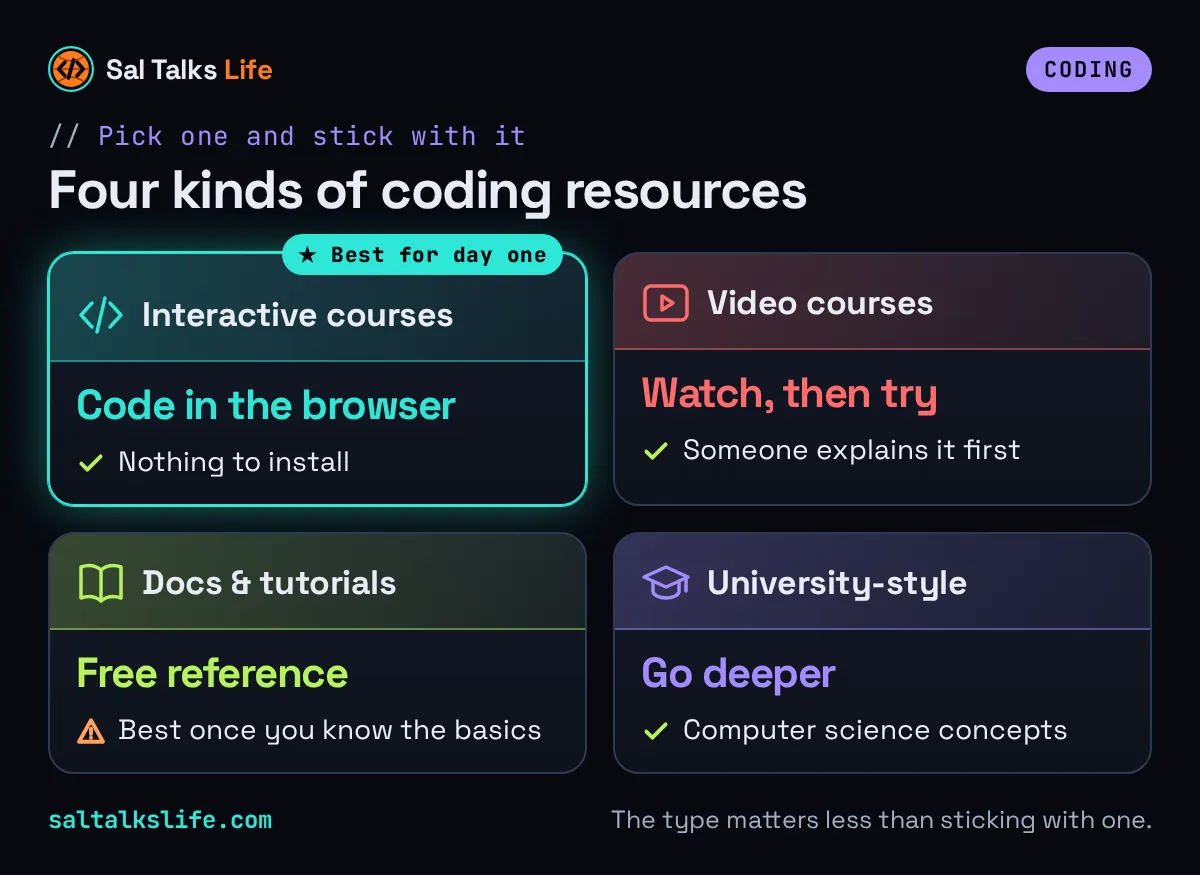
There are tons of free and paid ways to learn. Honestly, which type you pick matters less than sticking with it.
- Interactive courses let you write code right in the browser. Great for absolute beginners because there’s nothing to install.
- Video courses are good if you like watching someone explain and then trying it yourself.
- Free documentation and tutorials are great once you know the basics.
- University-style courses go deeper into computer science concepts.
Here’s how it went for me. When my daughter was born, I was making minimum wage at Devereux, supporting people with disabilities. That was when I started teaching myself to code, at night, after work. I wasn’t fast and I wasn’t fancy. I just kept showing up. Online courses carried a lot of that, and I used Coursera and DataCamp the whole way through while building small projects and websites on the side. That eventually led me to a software engineering bootcamp, an internship, and a career as a software engineer. If you’re learning in the margins of a busy life, I promise it counts.
If you want something interactive, Educative has text-based coding courses you work through right in the browser, and DataCamp focuses on data skills like Python and SQL. Both have free and paid options. Pick one, finish it, then add the next.
Step 4: Set up the basic tools
You don’t need much:
- A computer. It doesn’t need to be new or fancy for beginner work.
- A code editor. A free editor like Visual Studio Code works great.
- A browser for web development.
- Git and a free GitHub account, so you can save your work and show it to others later.
Some interactive courses let you skip setup at first. That’s fine. Just plan on setting up your own tools in the first month or two, since real projects happen on your own machine.
Step 5: Build small projects early
If you only remember one step, make it this one. Tutorials teach you to follow. Projects teach you to think.
Start tiny:
- A tip calculator. Enter a bill amount, get the tip and total.
- A to-do list. Add, check off and delete tasks.
- A personal page about you, your hobbies or your family.
- A number guessing game.
- A simple budget tracker that adds up your spending categories.
Then build on it. Each project should be a little harder than the last one. And when you get stuck? That’s not failure. That’s literally the learning.
A simple 90-day plan
| Weeks | What to focus on |
|---|---|
| 1 to 2 | Pick your goal and language. Learn variables, data types and printing output. |
| 3 to 4 | Conditionals, loops and functions. Do small daily exercises. |
| 5 to 6 | Build your first mini project. Learn the basics of Git. |
| 7 to 8 | Learn how to work with lists, objects and simple files or web pages. |
| 9 to 10 | Build a second, slightly bigger project. Push it to GitHub. |
| 11 to 12 | Learn one new thing your project needs (an API, a database, styling). Write a README. |
After 90 days you won’t know everything. Nobody does, including people who’ve coded for 20 years. But you’ll have real code you wrote yourself, and you’ll know how to keep going.
How to get unstuck
Being stuck is normal. It still happens to me all the time. Here’s what I do:
- Read the error message slowly. It usually tells you the line and the problem.
- Explain the problem out loud, even to nobody. It’s surprising how often the answer shows up.
- Shrink the problem. Test one small piece at a time.
- Search the exact error. Someone has almost always hit it before.
- Ask for help the right way. Share what you tried, what you expected, and what happened.
- Take a break. A short walk often fixes what an hour of staring can’t.
Learning to code with AI tools
AI chat tools can be really good teachers. Ask one to explain an error, or to describe a concept in simpler words. The trap is letting it write everything for you, because then you don’t actually learn anything. My rule: try first, then ask AI to explain, then type the fix yourself. Treat it like a patient tutor, not a ghostwriter.
Common beginner mistakes
- Tutorial hopping. Finishing nothing because you keep switching.
- Waiting to feel ready before starting a project.
- Comparing yourself to people who’ve been coding for years.
- Skipping the fundamentals to chase frameworks.
- Studying in huge bursts and then stopping for weeks.
Be patient with yourself. Learning something new as an adult, usually with a job and a family, takes real grace. Give yourself some.
FAQ
What’s the best way to learn to code?
The best way is the one you’ll stick with: pick a clear goal, choose one language, use one main resource, code a little every day, and build small projects as early as possible. Projects are where the concepts actually click.
How long does it take to learn coding?
You can learn the basics in a few months of steady practice. Getting job-ready usually takes longer, depending on your goal and how much time you can give it each week. Coding is a skill you keep growing for as long as you use it.
Can I learn coding for free?
Yes. There are many free courses, tutorials and documentation sites. Paid courses can add structure, feedback and certificates, but they’re optional. Many people start free and only pay once they know what they want to go deeper on.
Am I too old to learn to code?
No. People learn to code at every age. Life experience can even help, because you understand real problems that need solving. What matters is consistent practice, not your age.
Should I learn Python or JavaScript first?
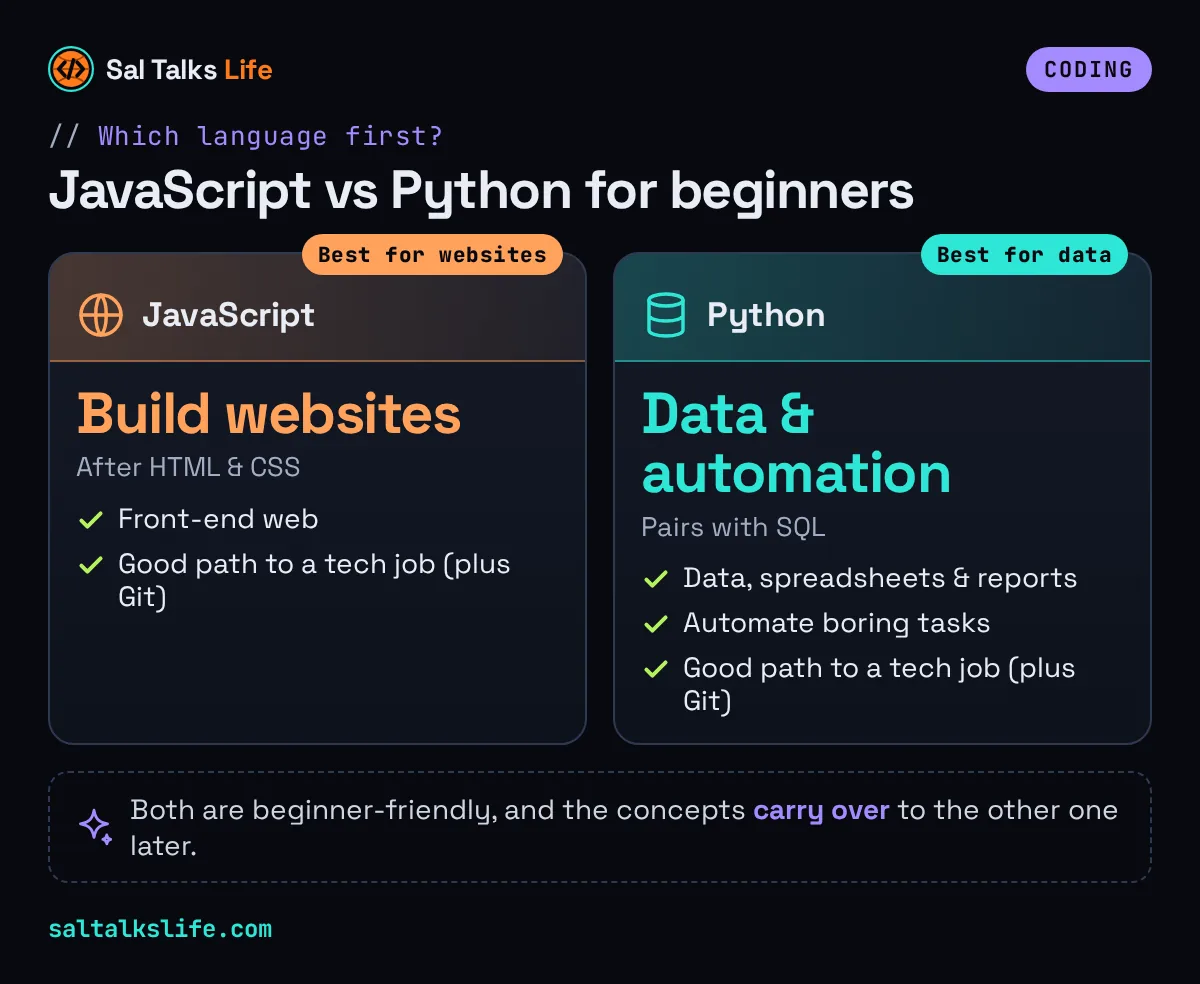
If you want to build websites, start with JavaScript (after HTML and CSS). If you want to work with data or automate tasks, start with Python. Both are beginner-friendly, and the concepts carry over to the other one later.
Start today, start small
You don’t need a perfect plan. You need a first step. Pick your goal, open one beginner lesson, and write your first line of code tonight. If you want to see the kinds of things code can build, take a look at my Software page. And if you’re thinking about turning this into a career, read How to Become a Software Engineer Without a Degree.
Want more beginner-friendly tech posts? Join the free Sal Talks Life newsletter. It’s short, occasional and never spam. You can also browse the Coding & Tech Careers topic or catch the videos on YouTube.
Keep reading
- How to Become a Software Engineer Without a Degree
- Welcome to Sal Talks Life: Thank You for Being Here
Some links in this post are affiliate links, which means I may earn a small commission at no extra cost to you. I only share resources I think can help.
More on Coding & Tech Careers →
Want the video version? Find more on Sal Talks Life.
Comments & reactions
Comments are coming soon. Until then, ask your question under the matching video on YouTube (opens in a new tab) or TikTok (opens in a new tab), or send me a message.